
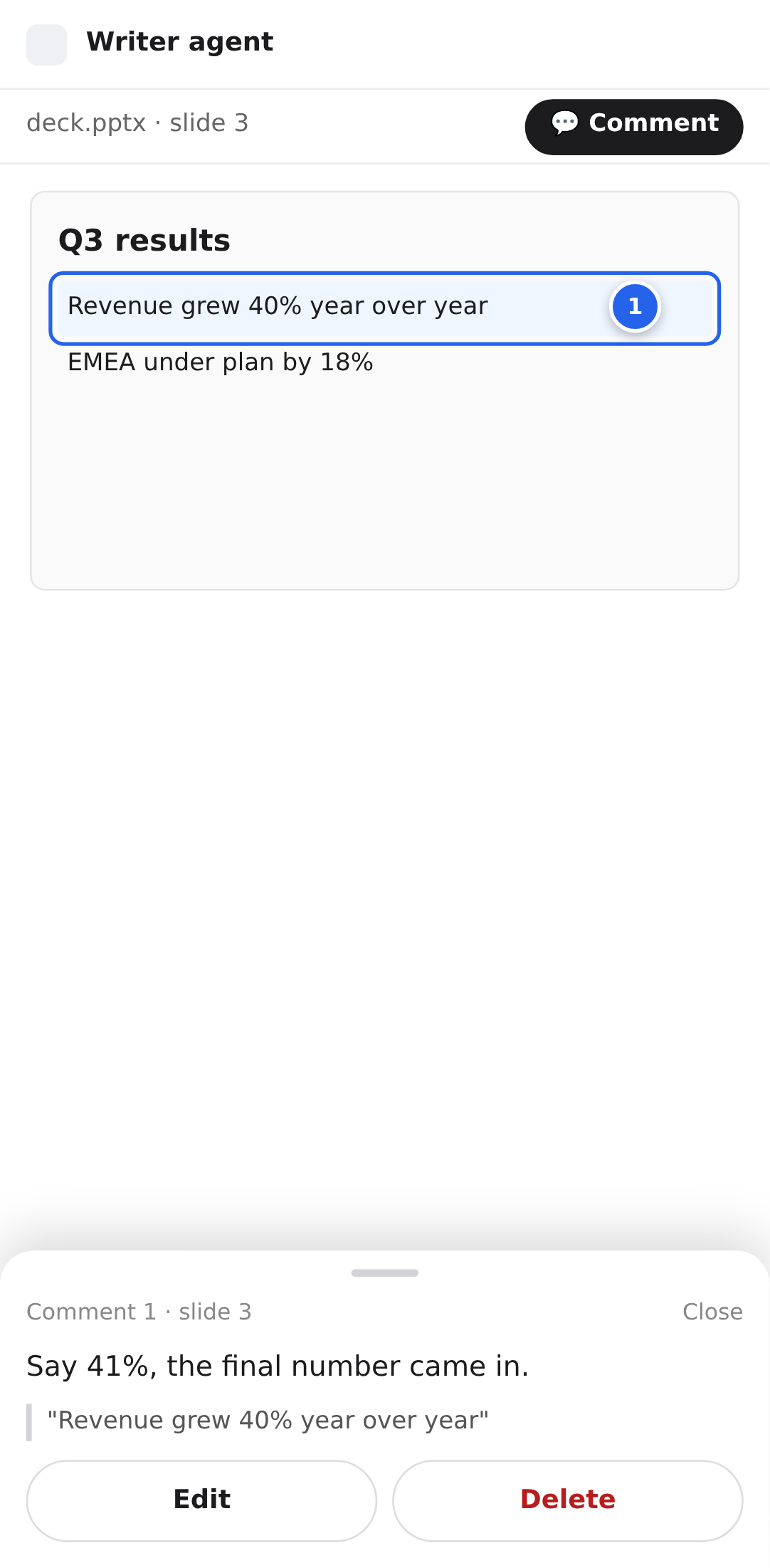
Draft for PR #7743 and the existing Markdown quote layer. Phone size: Pixel 7 (412 × 915 CSS px). Desktop behaviour stays as it is today.
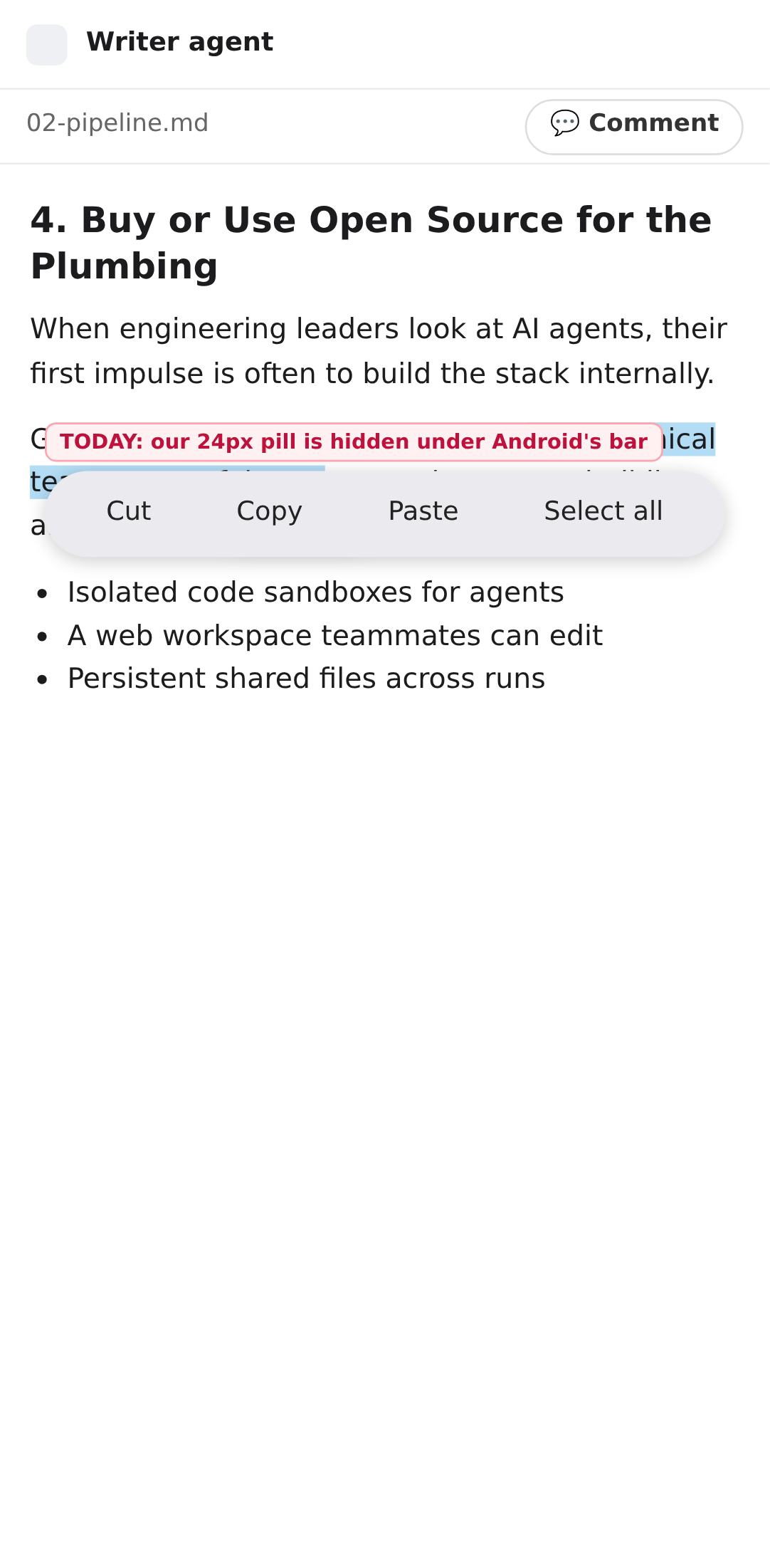
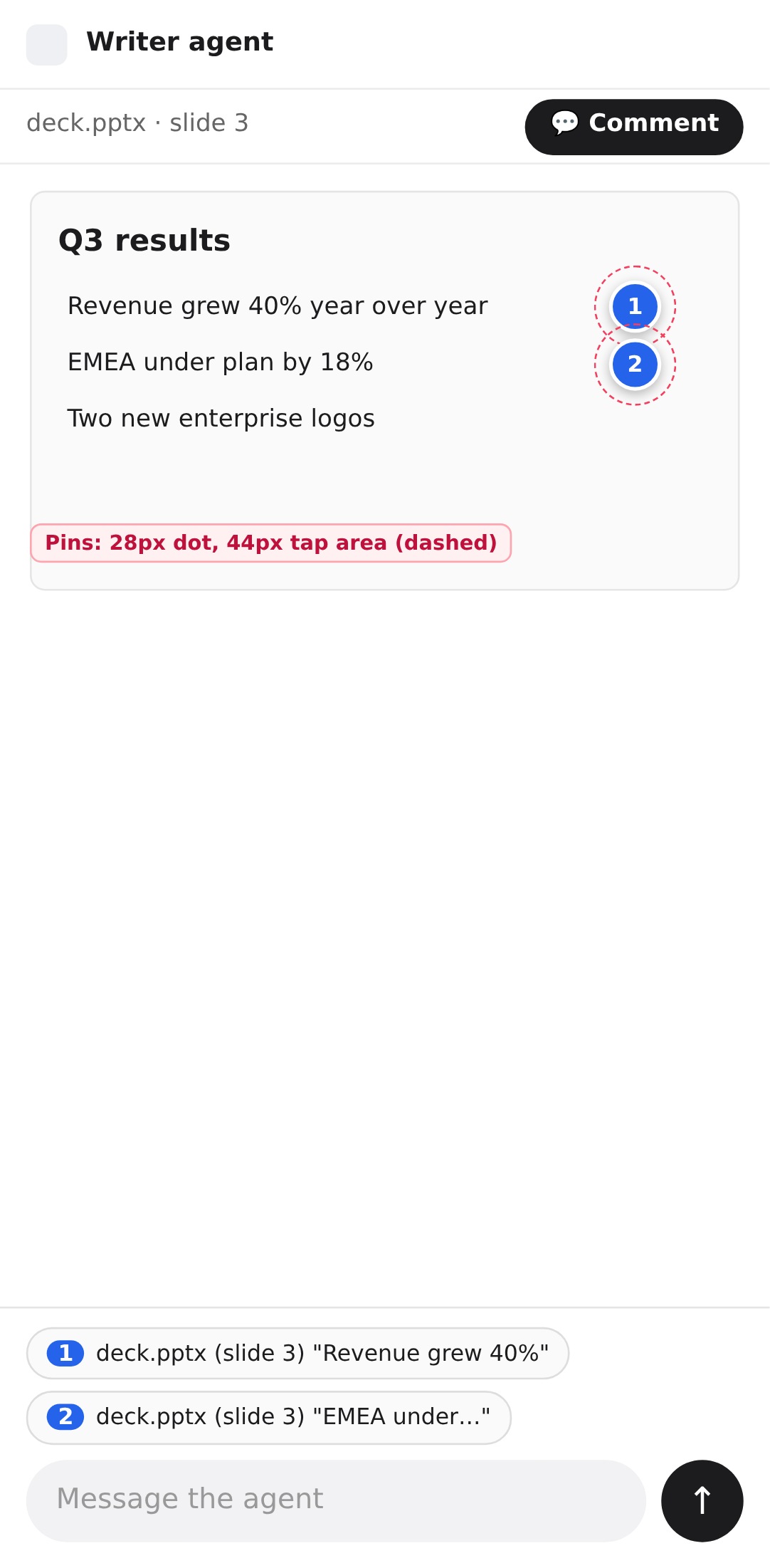
On Android, a text selection opens the system Cut / Copy / Paste bar above the selection. Our Copy · Reply pill uses the same spot, and the system bar always draws on top of the page, so the pill is hidden. A web page cannot hide or extend that bar. The comment box also floats next to the selection, so the keyboard can cover it. Buttons are 24 px and pins 28 px, below the 44 to 48 px touch minimum.
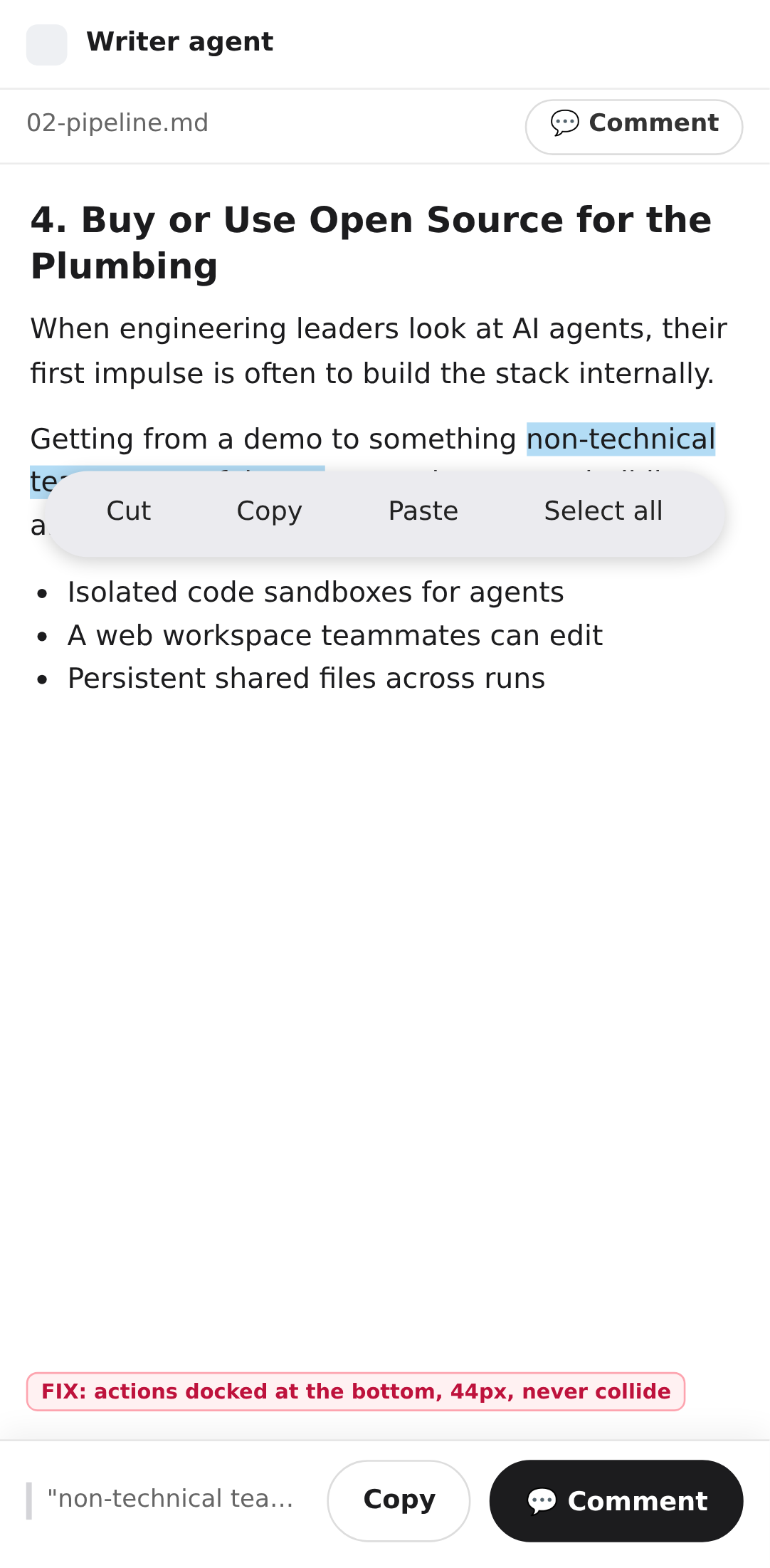
Google Docs docks the comment thread and the input to the bottom, and the input sits on the keyboard. Screenshots: Google Workspace Updates, June 2020. Docs is a native app, so it can also add "Comment" to the system bar. A web page cannot, which is why the bottom bar replaces that entry point.
| Change | Where | Notes |
|---|---|---|
| Bottom action bar on touch | QuoteToolbar.tsx, QuoteSelectionLayer.tsx | When touch (or hasCoarsePointer()) is true, render the pill as a full-width bar pinned to the bottom of the pane instead of anchoring it to candidate.rect. Show a one-line preview of the quote. The 260 ms TOUCH_SETTLE_MS wait is no longer needed for placement. |
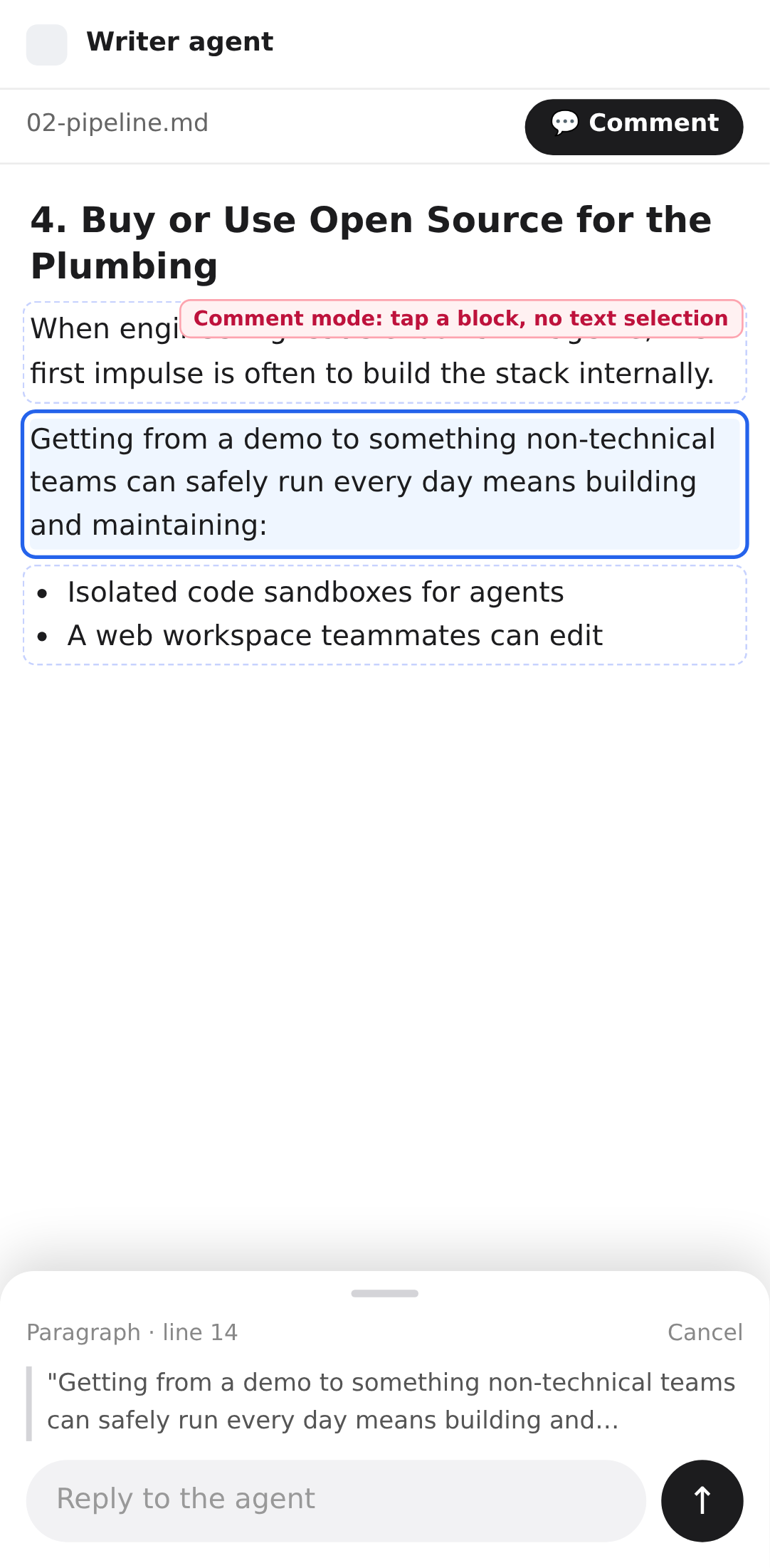
| Comment sheet on touch | New QuoteNoteSheet next to QuoteNote.tsx | Same props as QuoteNote (quote, onStage, onSend, onCancel, initialNote), no anchor. Position fixed; bottom: 0, lifted by the keyboard inset from useVisualViewport (--ag-viewport-height). Two visible buttons, because phones have no Cmd+Enter: Add to message, Send now. Pick the component in one place: touch ? QuoteNoteSheet : QuoteNote. |
| Keep the span visible | QuoteSelectionLayer.tsx | When the sheet opens, scroll the quoted range into the space above the sheet (scrollIntoView({block: "center"}) on the draft highlight). |
| Pin tap area | PreviewCommentLayer.tsx (PR #7743) | On touch, wrap the 28 px dot in a 44 px transparent button. Replace the touch Popover with the same bottom sheet showing the note, the quote, Edit and Delete. |
| Comment mode for Markdown | previewCommentMode.tsx, DriveMarkdownEditor.tsx | Optional follow-up. With Comment on, a tap on a block element in the Markdown body builds a quote from the whole block, with its line range from locateQuote. Editing stays off while the mode is on. |
// QuoteSelectionLayer.tsx (sketch)
const Note = isTouch ? QuoteNoteSheet : QuoteNote
{candidate && !draft ? (isTouch
    ? <QuoteActionBar quote={candidate.text} onCopy={copy} onComment={reply} />
    : <QuoteToolbar anchor={candidate.rect} bounds={bounds} onCopy={copy} onReply={reply} />) : null}
{draft ? <Note quote={draft.quote} anchor={draft.candidate.rect} bounds={bounds}
                onStage={stage} onSend={send} onCancel={finish} /> : null}
Real Android phone (Chrome) and iPhone (Safari), plus Playwright with the Pixel 7 profile and touch emulation. Select text and comment; comment mode tap on a block; type with the keyboard open and confirm the input stays visible; edit and delete a pin; landscape; a long file scrolled to the middle; dark mode.